Why Dental Practices are Prime Targets for Cyber Attacks: How to Stay Vigilant
Why Dental Practices are Prime Targets for Cyber Attacks: How to Stay Vigilant

Protecting your dental practice from cyber-attacks is not optional anymore. You are facing real threats every day from hackers who specifically target dental offices because they know you often lack the resources that larger medical facilities have. A single ransomware attack or data breach can shut down your practice, expose patient information, and trigger breach notification duties, costly downtime, and enforcement scrutiny that often focuses on whether you conducted a defensible HIPAA Security Rule risk analysis and acted on it.
You need to invest the right amount of money to properly protect your practice. Many dental offices try to cut corners on cybersecurity, but spending too little means something critical is not getting done. Your patients trust you with their personal health information, and you need the right security measures in place to keep that data safe while avoiding costly downtime.
Compliance Note (February 16, 2026): Part 2 and Updated Privacy Notices
If your organization creates or maintains certain substance use disorder (SUD) patient records subject to federal confidentiality rules (Part 2), privacy notice and breach workflow requirements became enforceable as of February 16, 2026. HHS published updated model notices to help covered entities and affected programs meet these obligations. Not every dental practice is a Part 2 program, but your compliance program should understand when Part 2 applies, especially in integrated care settings or where SUD treatment records may be involved, and route those records appropriately. HHS model notices have been updated; review them at hhs.gov.
Key Takeaways
•You should budget around $150 per computer month for proper IT security. Note that HIPAA does not prescribe a specific dollar amount; it requires risk analysis and risk management, and your security spending should follow your documented risks.
•Essential security includes a business-grade tech stack (a simple antivirus alone is not enough), regular updates, proper firewalls, and multiple backup systems.
•Your IT provider may help implement technical safeguards, but HIPAA compliance includes administrative, physical, and technical safeguards, and your practice remains accountable for the overall program.
Why You Need to Invest in Dental Cybersecurity
What Makes Dental Practices Targets for Hackers
Cyber criminals are going after dental practices more than ever. They know something important about your practice: you do not have the same resources as larger medical facilities.
Bad actors understand that dental offices run smaller operations. They target you because they expect weaker defenses. Your practice holds valuable patient information, but you likely do not have a big security budget or dedicated IT staff.
Hackers see dental practices as easy targets. They know you are busy treating patients, not watching for cyber threats.
Fewer Resources Than Larger Medical Facilities
Mainstream medical facilities have major advantages over dental practices:
•Bigger budgets for security
•Full-time IT teams
•More staff to handle compliance
•Extra time to address security issues
Your dental practice operates differently. You run a smaller business with limited resources. You might have one person handling your technology needs, or you hire an outside company.
This gap creates real problems. You need the same level of protection as big medical centers, but you do not have their resources. You are still responsible for protecting patient information under HIPAA, just like they are.
The cost difference is real. You might think spending money on security is optional. It is not. You need to budget appropriately to protect your patient’s data.
Plan to spend about $150 per month per computer for basic security. This covers essential protection that overlaps with cybersecurity, HIPAA requirements, and standard business practices. Your actual cost might be higher in major cities or lower in rural areas.
You need four critical security elements:
1.Business-grade antivirus
2.Regular patches and updates for all software
3.Business-grade firewall (not the one from your internet provider)
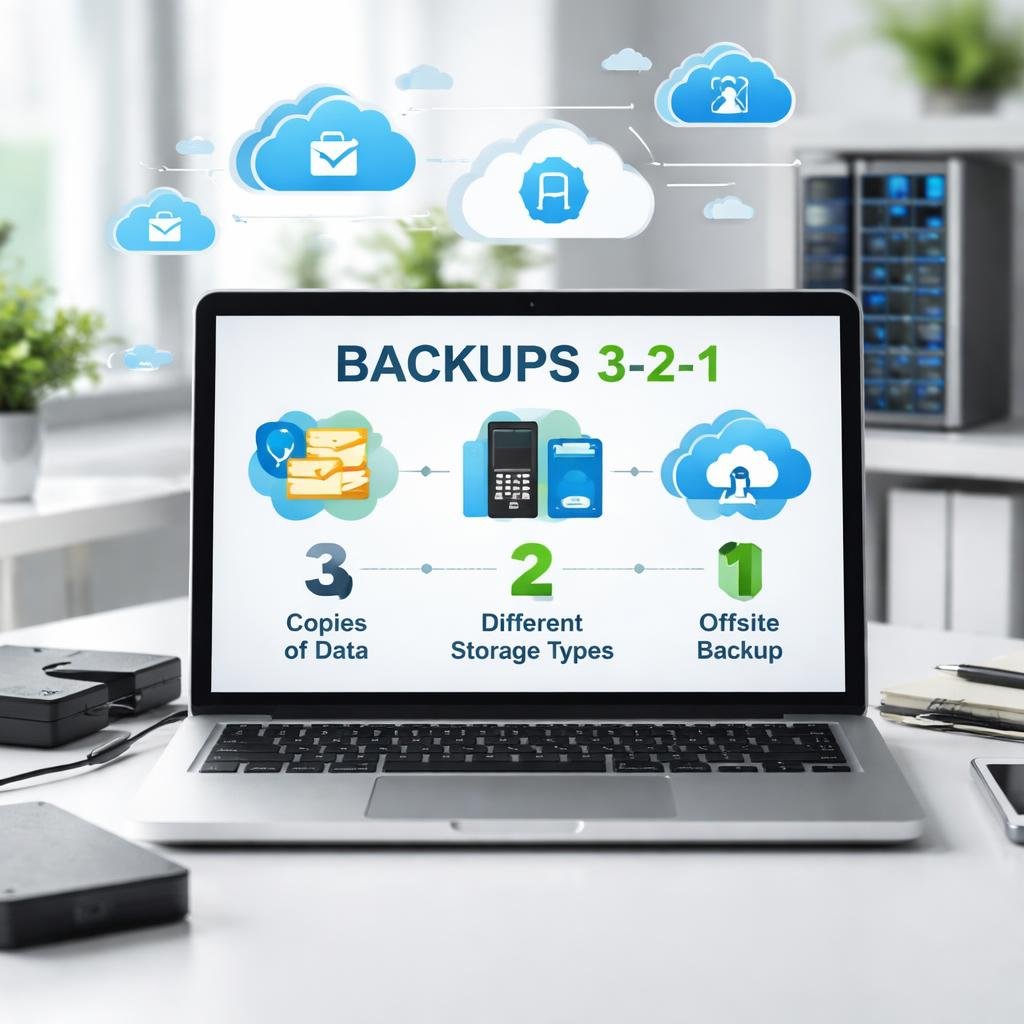
4.Proper backups using the 3-2-1 method recommended by the FBI
The 3-2-1 backup approach means three types of backups, in two different formats, with one completely offsite or offline.
Deciding How Much to Spend on Cybersecurity
Cost Per Computer Each Month
You should budget around $150 per month for each computer in your office. This covers basic security prevention that protects your practice.
This monthly cost covers several important items:
•Basic cybersecurity protection
•HIPAA regulation requirements
•Standard business practices for computers
Important: HIPAA does not prescribe a dollar amount. A defensible risk analysis should identify where electronic protected health information (ePHI) is created, received, maintained, and transmitted, including through vendors, and your security budget should follow those documented risks.
Location Affects Your Costs
Your location changes how much you pay for cybersecurity services. If you work in a major city, you will pay more than the $150 per computer average. Rural practices often pay less than those in big cities.
•Major cities: Higher than $150 per computer
•Rural areas: Lower than $150 per computer
•Suburban areas: Around $150 per computer
What Happens When You Try to Save Money
Many practices try to cut costs on their IT services. You can find lower prices, but something always gets left out when the price drops too low.
•Using refurbished computers instead of new ones
•Not installing all needed programs on computers
•Making practice staff do IT work themselves
Security items often missing when costs are cut:
•Proper backup systems
•Encrypted email
•Correct software updates
•Business-grade firewalls
You might see IT providers claim they make you HIPAA compliant. Technology supports HIPAA’s technical safeguards, but compliance also requires administrative and physical safeguards, including policies, workforce training, access governance, and incident response, all organized around risk analysis and risk management. No IT company handles all of your HIPAA compliance.
Older computers cause specific issues. When you upgrade from Windows 10 to Windows 11 on an old machine, you avoid buying new equipment. But a few years later, your computers cannot handle new technology like cone beam or 3D Invisalign systems. The operating system might be current, but the computer itself is too old to work properly. You need to replace computers every 3 to 5 years.
Core Security Requirements for Dental Practice Protection
Professional-Grade Security Protection
You must use business-grade security software in your practice. Consumer versions that you might use at home are not enough to protect patient information. Simply installing a standard antivirus will not protect you against today’s cyber-attacks. Security needs to be layered, providing multiple levels of protection to safeguard your dental practice from the variety of threats targeting healthcare environments.
Software Updates and Patch Management
You need to keep your systems current with regular updates. Your Windows operating system needs regular updates, and all your applications and programs also require updates to stay secure. These updates fix security problems that criminals can exploit. Skipping them puts your patient data at risk.
OCR Guidance: The Office for Civil Rights (OCR) January 2026 cybersecurity newsletter highlights system hardening, including patching, removing unneeded services, and maintaining secure baselines, as practical steps that reduce ePHI risk. Consistent patching is not just good IT hygiene; it is a defensible risk management activity under the HIPAA Security Rule.
Commercial Firewall Systems
You must install a business-grade firewall. The firewall from your internet provider is not appropriate for protecting patient data. Windows firewall also does not meet the security needs of a dental practice. You need commercial-level protection designed for healthcare businesses.
Beyond firewalls: Firewalls are only one layer. HIPAA technical safeguards also include access control, audit controls and logging, authentication, and transmission security, including encryption where appropriate. Make sure your IT provider addresses all of these, not just the perimeter firewall.
Complete Backup Systems
Your backup strategy is the most important security component. The FBI recommends a specific approach called the 3-2-1 method. You need:
•Three different backup copies
•Two different storage formats
•One backup stored completely offsite
This approach protects you if ransomware attacks your practice. You can restore your data without paying criminals. Also, document restore testing and downtime procedures, as these are controls that support availability and defensible risk management under the HIPAA Security Rule.
Security Errors Dental Practices Make
Old Equipment and Programs
You might think your computer is fine just because it still turns on. But age matters when it comes to protecting patient data. Many dental offices upgraded from Windows 10 to Windows 11 without buying new computers. A few years later, these practices cannot add cone beam systems or 3D Invisalign software because the computers are too old.
•Budget computers: 3 years before major problems start
•High-quality computers: 5 years maximum
•Standard replacement cycle: 3 to 5 years
Weak Network Protection and Data Security
You need proper security tools to protect patient information. Many dental offices skip two critical items: business-grade firewalls and encrypted email. The four essential security tools you must have are:
5.Business-grade antivirus
6.Patches and updates (like phone updates but for your computers)
7.Business-grade firewall
8.Proper backup systems using the FBI 3-2-1 approach
HIPAA does not define compliance as simply having the right tools. The Security Rule requires accurate and thorough risk analysis and ongoing risk management. The practical result is that antivirus, patching, firewalls, secure email, and backups should be selected and documented as controls that address specific risks to ePHI, and reviewed whenever your systems, vendors, or workflows change.
Poor Backup Systems
Most dental practices do not follow the FBI 3-2-1 backup standard. Your IT provider might say they handle backups, but you need to verify what they actually do. Backups are your safety net against ransomware attacks. When hackers lock your system and demand payment, proper backups let you restore everything without paying. Without them, you face a choice between paying criminals or losing patient data.
Ask your IT provider specific questions about backups. Do not accept vague answers like; yes, we do backups. Ask how many types they maintain, where they store them, and how often they test restoration.
IT Company Failures and HIPAA Vendor Obligations
Not all IT providers deliver the same quality of service. Some companies cut corners to offer lower prices. When you see a quote much lower than others, something is missing from their service. Common shortcuts IT providers take include selling refurbished computers instead of new ones, making you install programs yourself, skipping proper backup configurations, using consumer-grade tools, and not applying patches and updates correctly.
You need to treat vendor security as part of your HIPAA program. This means confirming whether the vendor is a Business Associate, executing a HIPAA-compliant Business Associate Agreement (BAA), and documenting vendor-related risks and controls in your risk analysis and risk management plan.
Ask if they use offshore services. HIPAA can still apply even if data is stored or accessed overseas. OCR states offshore hosting can be permissible with a BAA, but it changes your risk profile and must be addressed through risk analysis, risk management, and appropriate safeguards. Do not assume HIPAA protections disappear at the border.
Budget roughly $150 per month per computer for basic security and IT services. If someone quotes much less, they are not doing everything required.
How HIPAA Rules Apply to Your Technology Setup
Technology’s Role in HIPAA Requirements
You need to understand that technology supports HIPAA’s technical safeguards, but HIPAA Security Rule compliance also requires administrative and physical safeguards, including policies, procedures, workforce training, access governance, and incident response, all organized around required risk analysis and risk management. Many IT companies use confusing language when they claim they will make you HIPAA compliant. Technology is the most expensive and fastest-changing part of HIPAA, but it is still only one part of your total compliance requirements.
Your IT provider cannot handle 100% of HIPAA compliance for you. They can only manage the technology portion, which is their area of responsibility. The administrative and physical safeguard requirements fall on your practice.
Checking Out Your IT Vendors
HIPAA requires you to manage vendor relationships carefully. This applies to all vendors who handle your practice management data and patient information. A full HIPAA vendor review means more than asking a few questions. You need to determine Business Associate status, execute a proper BAA, and document the relationship in your risk program.

HIPAA vendor basics to work through for every vendor touching ePHI:
9.Is this vendor a Business Associate?
10.Do we have a signed BAA?
11.Does it cover safeguards, subcontractors, and reporting of security incidents and breaches?
12.Do we have evidence they support audit logs, access controls, and secure transmission?
Required questions for your IT provider:
•How do you access our computer systems?
•Do your team members receive HIPAA training?
•Do you carry cyber insurance to cover potential breaches?
•Do you send any services outside the United States? (If so, ask how offshore risk is addressed in their BAA and your risk analysis.)
Major companies like Change Healthcare have dealt with massive data breaches because of security failures. Ask these same questions of all your vendors, not just your IT provider.
Hardware Lifecycle and Upgrade Best Practices
Setting Replacement Schedules
Your hardware replacement schedule depends on how you bought your equipment. If you purchased budget computers, expect to replace them after about three years. If you spent more upfront and built stronger systems, you can stretch that timeline to five years. Five years is the standard end-of-life timeframe for dental practice hardware.
Risks of Using Obsolete Equipment
Old computers create serious operational issues. When a printer breaks and you buy a new one, it might not work with your old computer. Banks update their electronic systems regularly, and your old computers or operating systems might not work with updated security requirements. You cannot add new technology when your computers are outdated. Cone beam systems, 3D Invisalign technology, and other modern dental equipment require hardware that can handle the load.
The Interoperability Challenge
Computers need to work together with all your other systems. Dental practices run about 10 to 15 years behind in technology compared to other industries, which makes engineering complete solutions more complicated for you than for general businesses.
Interoperability is accelerating across health care. National health information exchange frameworks are expanding connectivity expectations across the industry. Even if your practice is not directly connected, your vendors may be, which makes audit logs, identity controls, and strong vendor governance more important than ever.
Choosing the Right IT Support and Security Approach

Complete IT Services vs. Security-Focused Options
You need to decide between two main approaches for your practice's technology needs. A complete IT service handles all your technology, including setup, installation, and security. Security-focused packages only protect your data and leave gaps in your coverage.
•Full service includes: computer setup, program installation, security measures, regular maintenance, and problem solving.
•Cheaper options often skip: proper encryption for email, business-grade firewalls, complete backup systems, and full program installation.
Service Models for IT Support
You have two ways to pay for IT support. The break-fix model means you only pay when something goes wrong. This seems cheaper at first but costs more when disasters happen and does nothing to prevent them. All-inclusive support costs about $150 per computer each month and covers basic security and prevention. The price changes based on where your practice is located.
•Business-grade antivirus
•Regular patches and updates
•Business-grade firewall
•Backup systems following the FBI 3-2-1 approach
What Is Coming: Regulatory Updates to Watch
Watch List: HIPAA Security Rule Modernization
HHS has proposed updates to the HIPAA Security Rule to strengthen cybersecurity requirements. This rulemaking is currently proposed, not final, so it should not be treated as a new requirement today. However, practices should monitor finalization and be ready to adjust policies and controls when a final rule is published. We will update this post when that happens.
Electronic Documentation Modernization. Federal rules are pushing claims documentation away from paper and fax toward standardized electronic attachments and electronic signatures. A final rule on claims attachments and electronic signatures is effective May 26, 2026, with compliance required by May 26, 2028. This means more clinical documentation will travel electronically, making secure workflows, including identity verification, access control, logging, and secure transmission, more important for every dental practice.
Your Action Plan
You have the right to ask detailed questions of any vendor who touches patient data. HIPAA requires you to review your subcontractors and business associates. Get all answers in writing. These documents could matter during an enforcement review or incident investigation.
•Confirm every vendor handling ePHI has a signed, current BAA.
•Conduct and document a risk analysis covering all locations where ePHI is created, received, maintained, or transmitted, including through vendors.
•Build a risk management plan with prioritized remediation, owners, and target dates.
•Verify your four core security tools are in place: business-grade antivirus, patches and updates, business-grade firewall, and 3-2-1 backups with tested restoration.
•Review your Notice of Privacy Practices against current federal model notices, especially if your practice may interact with substance use disorder records.
•Replace computers on a 3 to 5 year cycle. Budget computers at 3 years. Higher-quality equipment may last 5 years.
•Use the ONC Security Risk Assessment tool at healthit.gov if you need a starting point for your required security risk assessment.
You cannot treat IT services as interchangeable products. Price is not the only difference between providers. What gets done or skipped makes a significant difference in your practice’s security, your compliance posture, and your patients’ trust.
Don’t wait until ransomware forces your decision.
Most dental practices don’t realize their backups are incomplete, untested, or unusable until it’s too late. By then, you’re choosing between paying attackers or losing patient data.
You need a system that is built for healthcare, aligned with HIPAA expectations, and designed to restore your operations quickly.
Start with a free HIPAA security assessment and uncover your risks.
Disclaimer: This blog post is for educational purposes only and does not constitute legal advice. For guidance specific to your practice, consult a qualified HIPAA compliance professional or attorney.
Last updated: March 29, 2026